

Woodbine Ergonomic Office Workstation Table That Inspire

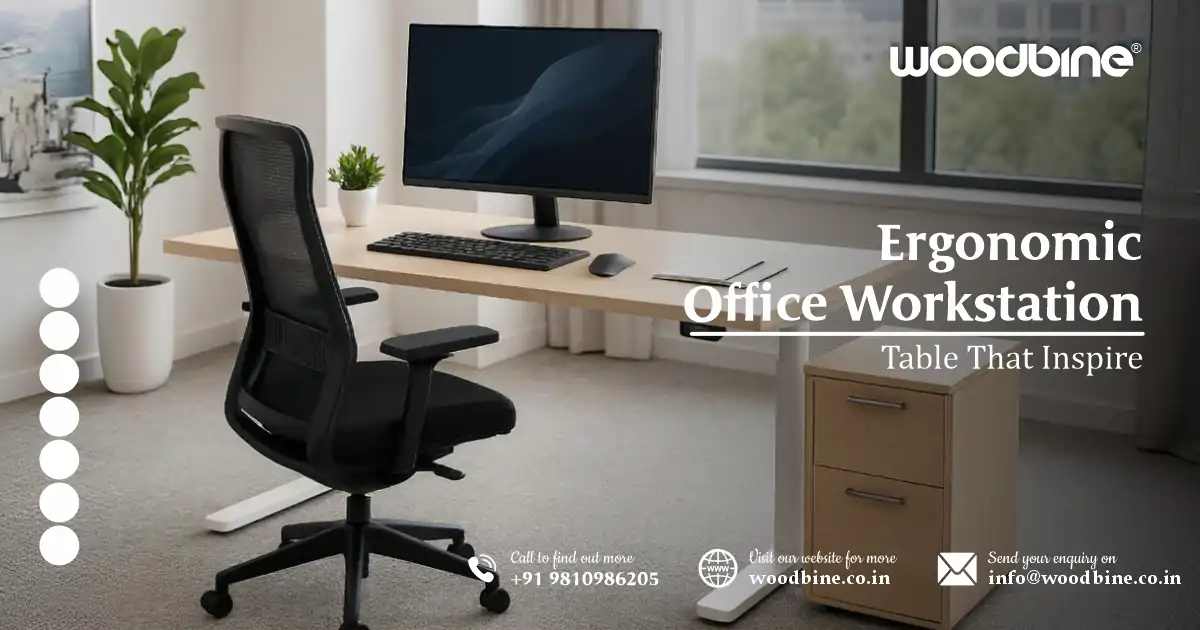
In a world that’s increasingly digital and work-from-anywhere, the office workstation table you choose matters more than ever. Whether you’re setting up a cozy home office corner or refreshing your professional studio, the right workstation can transform your performance, posture, and even your mindset. Enter Woodbine: a brand pioneering the intersection of function, beauty, and comfort in office furniture design. Today, let’s journey through how Woodbine’s pieces—especially their Workstation desk, folding furniture tables, and height adjustable table solutions—are reshaping the way we think about desks, layout, and daily work life.
Rethinking the Workstation: More Than Just a Table
Brief intro to the modern office furniture shift
Gone are the days when a desk was simply a flat surface with four legs. Modern expectations demand more. Furniture must be ergonomic, flexible, and aesthetically appealing. Designers fuse modern furniture trends with ergonomic science, crafting pieces that function seamlessly as both a tool and a style statement.
How workspaces impact performance, posture, and mindset
Your workspace isn’t just background décor—it actively influences how you feel and perform. A height adjustable table enables you to transition between sitting and standing, reducing strain and boosting circulation. A well‑designed Ergonomic workstation desk puts your keyboard, monitor, and arms at just the right angles—improving posture, reducing fatigue, and encouraging focus over long workdays.
Introduction to Woodbine’s vision for functional, beautiful design
Woodbine doesn’t just make furniture—they craft experiences. Their designs offer flexibility, beauty, and comfort wrapped into one. From Folding workstation tables that look permanent to modest ergonomic workstation setup tips embedded into their builds, their pieces invite you to work, stretch, create, and feel inspired.
The Foundation: Choosing the Right Office Workstation Table
What Makes a Workstation Desk “Ergonomic”?
- Adjustability: A truly ergonomic desk allows vertical height adjustment—or at least enough clearance to fit ergonomic chairs and leg space freely.
- Surface Depth: The workspace should allow for proper monitor placement so you can keep your eyes at screen level without leaning forward.
- Legroom: Enough room beneath the desk to stretch, shift, or even cross your legs comfortably nurtures both posture and productivity.
- Materials that support healthy posture: Solid wood brings warm tactile quality, while matte laminates resist glare and hide fingerprints—each with pros for comfort and function.
- The role of layout in long‑term comfort: The best Workstation desk isn’t just ergonomic in form—it’s ergonomic in placement. A desk with the right depth, width, and flexibility encourages better posture over time.
Matching Desk Style to Function
- Standing desks vs. seated desks
If you spend hours focused, a height adjustable table gives you the best of both worlds: a seated position for detail work, and the chance to stand and stretch without missing a beat. - Corner desks, L‑shaped desks, minimalist setups
For multitasking or dual monitors, an L‑shaped or corner office workstation table gives more room and keeps everything within reach. Minimalists might prefer a slender Desk with clean lines and nothing extra. - Matching workstation tables to room size and daily tasks
Small bedrooms or living-room workspaces benefit from compact, yet functional designs like folding furniture tables or slim Adjustable office table options.
Office Furniture That Works for You
Think of desk selection as the anchor of your office layout:
- Choose a Workstation to match not just your daily tasks, but your body and rhythm.
- Pair with ergonomic chairs, adjustable lighting, and smart cable management.
- Complement with under‑desk drawers or standing shelves—when office furniture comes together, productivity follows.
Home Office Design Ideas for Productivity
Overview of layout planning for focused work
Good layout planning starts with clarity: identify distractions, frame your natural workflow (keyboard → monitor → notes), then position your ergonomic workstation desk accordingly.
How desk positioning affects productivity (light, space, noise)
- A desk positioned near a window maximizes natural light and combats screen glare.
- Placing your Desk away from foot traffic zones keeps interruptions low.
- A noise buffer—plants, rugs, or bookcases—around your Workstation desk subtly enhances focus.
Blending modern furniture with utility
Modern furniture shouldn’t just look good; it should serve. Picture a home office design ideas scenario with a sleek table, integrated cable channels, and magnetic accessory holders—all while maintaining an uncluttered, airy vibe.
Tips for Designing an Inspiring Workstation
- Use natural light to reduce eye strain
Whenever possible, position your Workstation so light streams over—not behind or directly onto—your screen. - Place height adjustable tables near windows or corners
These prime locations amplify the benefits of switching between seated and standing work. - Choose calm, neutral tones in your furniture
Soft grays, beiges, muted wood grains—these tones boost concentration by staying visually understated.
Multi‑Functional Spaces
Creating a dual‑purpose room (guest room + home office)
Grant yourself space flexibility by choosing:
- A folding workstation table that disappears into the wall or converts into a console.
- A guest-friendly sofa bed or ottoman that hides cables and accessories when you’re not working.
Using folding furniture tables to save space when not working
A modern Folding furniture table should look intentional—even when folded. Think hidden hinges, solid surfaces, and smooth transitions from “in-use” to “consolidated” mode.
Why Choose an Adjustable Office Table?
The rise of height-adjustable tables in home and corporate spaces
Flexibility has become a staple in both home and corporate settings, with height adjustable tables becoming as common as ergonomic chairs. The ability to move from sitting to standing finishes cross-disciplinary needs with ease.
Health benefits: reduce back strain, encourage movement
Standing intermittently eases lower back pressure, boosts circulation, and encourages micro-breaks—leading to less fatigue and more energy for the day ahead.
Flexible configurations for seated and standing tasks
Need to sketch outlines with your mouse? Sit down. Ready to give a presentation or stretch while on a call? Stand up. These tables adapt to your pace.
Features to Look For
- Smooth height transitions (manual vs. electric lift): Electric models offer effortless shifts; manual—usually via crank—are more budget-friendly and mechanically satisfying.
- Sturdy frames, sustainable materials: A heavy-duty steel frame, combined with responsibly sourced wood or bamboo surfaces, delivers long-term stability and eco-conscious appeal.
- Surface space for dual monitors or laptops: The desktop should accommodate more than a laptop—think extra screen, notepads, coffee, and maybe a desk plant.
Real Use Cases
- Remote workers with long screen time often love adjustable settings to switch posture every hour—no more slouching to reach the keyboard.
- Shared workstations in compact urban homes benefit from shared Adjustable office table setups that different people can use—standing or seated—with ease.
Folding Workstation Tables: Style Meets Function
Ideal for small apartments, shared spaces, or hybrid workers
For dwellers of small apartments or split-use rooms, a Folding workstation table is a smart compromise. It’s there when you need it, gone when you don’t—without sacrificing elegance.
Woodbine’s approach to foldable design: practical without compromise
Woodbine’s folding tables feature:
- Premium wood veneer surfaces that don’t feel “temporary.”
- German‑made hinges or sliding mechanisms that “snap” into place.
- Reinforced frames so stability isn’t sacrificed upon unfolding.
Folding Furniture Without Looking “Temporary”
- Fold‑away designs with premium wood surfaces offer the warmth and permanence of solid wood, even when they fold flat.
- Storage options to pair with folding setups—under‑desk bins, fold-down legs with hidden shelves, and cable organizers—ensure your table feels fully integrated, not provisional.
Layout Planning with Foldables
- When to go portable vs. permanent: Use a folding Desk in multi‑use rooms like master bedrooms or guest spaces. Keep a dedicated piece in the den or studio.
- Tips for transforming spaces quickly: Keep accessories (lamp, pen tray, monitor) on a rolling tray that shifts with your folding furniture tables—fold down, roll in, and your workstation looks planned, even on the fly.
Modern Ergonomic Desks for Every Workspace
Combining design‑forward thinking with ergonomic science
Designers today blend minimalism with utility—frameless edges, clean under‑desk brackets, and bold yet functional aesthetics. Each piece embodies Ergonomics while aligning with modern homes.
Materials that matter: solid wood, matte metal frames, sustainable finishes
Solid wood—maple, walnut, birch—offers warmth and strength. Matte metal frames add sleek support, and eco‑friendly finishes cut glare and environmental impact.
For the Minimalist Home Office
- Slim‑profile workstation tables with narrow depth but ample length maintain focus—no clutter, just clarity.
- Neutral tones, like ash, white or light gray, help visuals stay calm.
- Built‑in cable management keeps everything tidy, tucking wires out of sight.
For the Creative Professional
- L‑shaped or multi‑tier desks support expansive ideation, extra monitors, or layout sketches.
- Modular desk systems let you reconfigure your workspace—add, remove, or pivot components as your projects evolve.
Ergonomic Workstation Setup Tips
Keyboard and monitor placement best practices
Place your monitor at eye level, about an arm’s length away, with the top of the screen at or slightly below eye height. Your keyboard should allow your wrists to stay flat and your elbows to rest at 90 degrees.
The 90‑degree rule: elbows, knees, screen eye level
- Elbows: Should form roughly a right angle when typing.
- Knees: Should float freely or rest at about 90 degrees if seated.
- Screen: Keep center at eye level to reduce neck strain.
Foot support, wrist rests, and anti‑fatigue mats
A footrest helps align your legs when seated. Wrist rests reduce wrist flexion. An anti-fatigue mat supports standing phases, making long stretches more comfortable.
Enhancing Comfort With Layout
- Avoiding glare: Position your desk perpendicular to windows. If light still reflects, add sheer blinds or screen filters.
- Space for stretching or quick movement breaks: Allocate even a narrow strip of floor space beside your desk for calf raises or shoulder rolls.
Don’t Forget Accessories
- Laptop stands, cable trays, under‑desk storage drawers—these aren’t extras, they’re the backbone of a clean, ergonomic setup.
- A quality Ergonomic chair that supports your lumbar region completes the workstation circle, ensuring your office workstation table isn’t standing alone in ergonomics.
Final Thoughts: Designing a Space That Works for You
The best workspace? One that resonates with how you work, how you move, and how you want to feel. Whether that’s a sleek Workstation desk in muted tones or a flexible folding workstation table that tucks away when dinner arrives—what matters is that it fits you.
Woodbine doesn’t just craft modern ergonomic desks—they design tools that align mental flow with physical ease. Their blend of Home office design ideas, layout planning, Ergonomics, and material quality invites you to create a space that’s not only productive—but comforting, beautiful, and uniquely yours.
Optional Call to Action (CTA)
Explore Woodbine’s full range of ergonomic office workstation table—crafted for balance, built for life. Whether you seek a sleek Workstation, a transformative height adjustable table, or a stylish Folding workstation table, Woodbine offers design-forward solutions built for the way you live and work.
Frequently Asked Questions
1: What makes Woodbine’s ergonomic workstation desks different from standard office desks?
Woodbine’s ergonomic workstation desks are designed with both human comfort and modern design in mind. Unlike standard office desks, they incorporate ergonomic features like optimal surface depth for correct monitor distance, adjustable heights for sitting or standing, and thoughtful legroom space. Each desk is crafted with sustainable materials—like solid wood and matte metal—and blends seamlessly into both professional and home office settings. These aren’t just desks—they’re tools designed to support your body and workflow throughout the day.
2: Can I use a Woodbine folding workstation table in a small space or apartment?
Yes, absolutely. One of the biggest advantages of Woodbine’s folding workstation tables is their ability to transform tight or shared spaces. They’re ideal for studio apartments, guest rooms, or hybrid-use rooms where space needs to stay flexible. These folding designs don’t compromise on quality—they feature premium wood finishes and sturdy mechanisms, so they look and feel permanent when in use but tuck away easily when it’s time to switch gears.
3: Are Woodbine’s height adjustable tables manual or electric, and which is better?
Woodbine offers both manual and electric height adjustable tables. Manual versions are great for those looking for a budget-conscious, low-maintenance option. Electric models provide smoother transitions and are ideal for users who switch between sitting and standing multiple times per day. Which one is better depends on your workflow: if you change positions often or prefer convenience, electric is worth the investment; for occasional height changes, a manual model does the job well.
4: What should I consider when choosing a workstation desk for my home office?
When choosing a workstation desk for your home office, consider these factors:
- Size of the room: Smaller rooms may benefit from folding furniture tables or minimalist desks.
- Work habits: Do you need space for dual monitors? Consider a wider or L-shaped desk.
- Health needs: Look for a height adjustable table if you need flexibility between sitting and standing.
- Style: Woodbine offers options that align with both modern furniture and traditional aesthetics, so pick one that complements your space.
Ergonomic comfort, utility, and personal workflow should guide your decision—not just the look.
5: How do I set up an ergonomic workstation using Woodbine furniture?
Creating an ergonomic workstation setup with Woodbine starts with the right Desk:
- Monitor at eye level: Use a monitor stand or height-adjustable arm to keep your screen just below eye height.
- Keyboard and mouse placement: Keep elbows at a 90-degree angle with wrists flat.
- Chair pairing: Match your ergonomic workstation desk with a chair that supports your lumbar curve.
- Use accessories: Add footrests, wrist pads, and anti-fatigue mats for all-day support.
- Natural lighting & layout: Position your desk near a window to reduce eye strain, and allow space for small movement breaks.
Woodbine’s line is designed to make these elements feel intuitive—not forced.
