


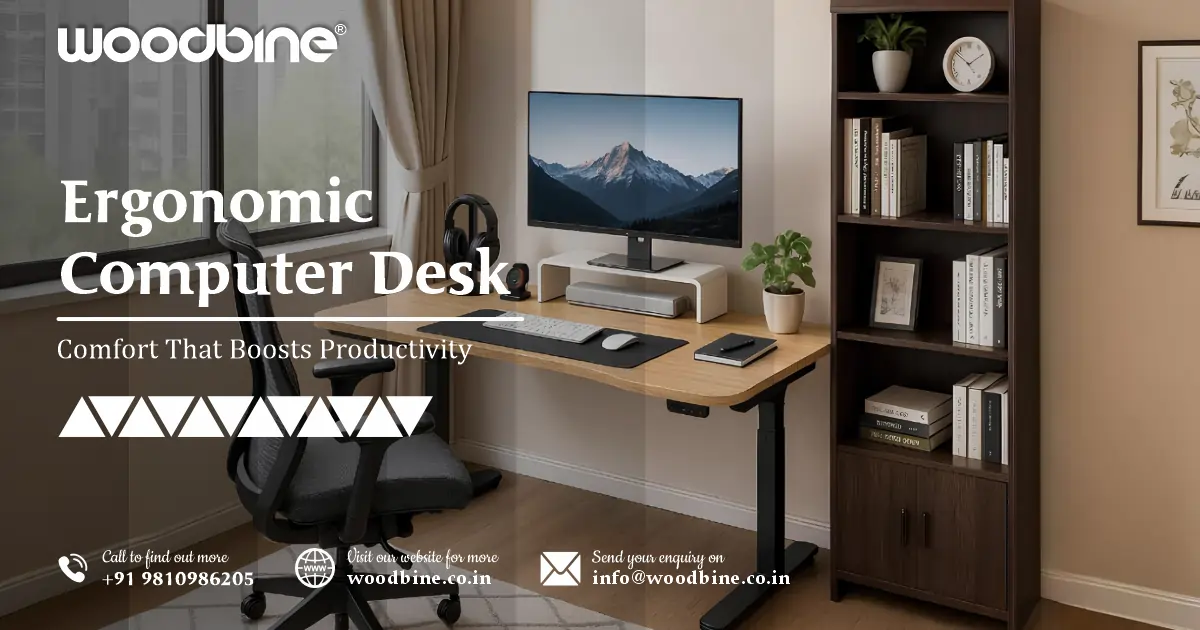
Ergonomic Computer Desk Ideas: Comfort That Boosts Productivity

Whether you’re working from home, gaming after hours, or running a business from your studio, the desk you use can make or break your daily comfort and long-term health.
Let’s be honest: we all spend more time at our desks than we’d like to admit. But here’s the good news — with the right ergonomic computer desk, you can stay comfortable, reduce strain, and even boost your focus and output.
Why Ergonomics Matter in Your Workspace
The Link Between Comfort and Productivity
Let me start with something I often tell clients: You can’t perform at your best if your body’s fighting your setup all day.
- A poorly designed office desk forces bad posture. That means neck tension, backaches, and wrist pain — all productivity killers.
- A supportive desk setup improves blood flow, reduces slouching, and helps you stay alert for longer periods.
- Over time, investing in ergonomics reduces fatigue and protects your spine, shoulders, and wrists from repetitive strain injuries.
I once worked with a freelance designer who used a low coffee table as a makeshift desk for two years. She’d wake up with shoulder pain daily. We upgraded her to a proper height adjustable computer desk, and the improvement in her energy and posture was immediate.
What Makes a Desk Ergonomic?
An ergonomic computer desk isn’t about price or gimmicks. It’s about thoughtful design. Here’s what to look for:
- Ideal height: Your arms should rest at a 90-degree angle when typing. If your shoulders are raised or dropped, it’s not the right fit.
- Leg space: You should be able to stretch your legs under the desk without hitting anything.
- Wrist position: The desk depth should allow your keyboard and mouse to sit comfortably without overreaching.
- Monitor level: Eye level with the top of your screen prevents neck strain. A monitor stand or riser can help here.
- Footrests and adjustable chairs go hand in hand with ergonomic desks for complete comfort.
Read more: Best Study Chair for Students – Comfort Meets Focus
Top Ergonomic Computer Desk Ideas for Every Need
1. Small Space Computer Desk Solutions
Living in a studio or shared apartment? You’re not alone. Many of my clients ask, “What’s the best small space computer desk I can use without crowding the room?”
- Vertical storage: Look for desks with shelves going up, not out. Think ladder-style desks or compact hutch models.
- Foldable options: Wall-mounted fold-out desks are perfect for ultra-tight spots.
- Minimalist design: A slim wood or metal desk with no bulky drawers can make a small room feel open.
- Smart cable routing: Use a computer desk with cable management to prevent tangled wires in tight spaces.
2. Computer Desks with Storage
If your workspace doubles as your storage zone, go for a computer desk with storage built-in.
- Drawers and shelves: Keep stationery, chargers, and papers out of sight but close at hand.
- Under-desk cabinets: Great for hiding your CPU or extra supplies without losing leg space.
- Overhead storage: Hutches work well in shared rooms where space is limited.
I’ve designed home offices where storage desks replaced filing cabinets entirely — cleaner, smarter, and more ergonomic.
3. Height Adjustable Computer Desks
These are game-changers for anyone sitting more than 6 hours a day.
- Sit-stand desks allow you to alternate positions, which reduces lower back strain and increases blood circulation.
- Manual vs. electric: Manual desks are more affordable; electric ones offer smoother, customizable presets.
- Aim for a desk that adjusts between 28” to 48” high — this fits most users well.
- Pair your height adjustable computer desk with an anti-fatigue mat if you stand for long periods.
In my own workspace, I use a standing desk and shift positions every 60-90 minutes. It’s one of the best investments I’ve made.
Read more: Woodbine Ergonomic Office Workstation Table That Inspire
4. Budget Computer Desk Ideas for India
A good ergonomic desk doesn’t have to break the bank. Here’s how to find the best budget computer desk India users can rely on:
- Materials: Choose engineered wood with powder-coated steel frames — affordable yet durable.
- Local brands: Brands like Nilkamal, DeckUp, and Wakefit offer solid desks under ₹5,000–₹7,000.
- DIY upgrades: Add a monitor stand or under-desk tray to improve comfort without changing the entire desk.
- Online deals: Check Amazon India, Flipkart, or Pepperfry during seasonal sales for big savings.
One of my clients, a college student, built his ergonomic setup for under ₹6,000 using a sturdy desk and a few smart add-ons.
5. Best Computer Desk for Gaming
Gamers spend long hours at their desks, so ergonomics are just as important as performance.
- Look for strong builds that hold multiple monitors without wobbling.
- Features like headphone hooks, controller stands, and RGB lighting are popular among gamers.
- Cable grommets and trays are a must — that’s why a computer desk with cable management is a top pick for gaming setups.
- Choose a chair that supports your back fully — the desk is only half the equation.
If you’re serious about gaming, the best computer desk for gaming will keep you comfortable deep into long sessions.
6. Computer Desk with Cable Management
Messy cables are not just ugly — they’re also a tripping hazard and a strain on your mental clarity.
- Built-in grommets: These holes guide cables from the top through the desk.
- Under-desk trays and clips: Hide excess cords and keep chargers accessible.
- Integrated power strips: Some premium desks come with outlets built into the surface.
- Good computer desk with cable management reduces clutter and prevents cord damage, especially around moving parts like adjustable desks.
Read more: Woodbine Ergonomic Office Chair – India Factory‑Direct
Choosing the Right Office Desk for Your Workstyle
Factors to Consider
Everyone’s work habits are different. Here’s what to think about before you buy:
- Work type: Writers need space to spread notebooks, while coders need multiple monitors.
- Equipment: Measure your gear — including laptops, tablets, printers — to ensure it fits.
- Room size: Avoid bulky models in small rooms. A small space computer desk works better.
- Comfort: Don’t underestimate wrist space, screen height, and legroom.
Wood vs Metal vs Glass Desks
Each material has its benefits:
- Wood: Warm look, durable, but heavier and can scratch.
- Metal: Sleek, strong, ideal for modern setups.
- Glass: Stylish but can be cold and fragile.
For long work sessions, wood or laminate tends to be the most comfortable. Metal frames paired with wood tops are common in desks and workstations for added stability.
Desks and Workstations That Fit Every Space
Corner Desks and L-Shaped Layouts
- Perfect for maximizing unused corners.
- Great for multitaskers — one side for computer work, the other for writing or drawing.
- Adds more surface area without taking over the room.
Modular Workstations
Ideal if you like to customize your setup:
- Mix-and-match components (shelves, drawers, monitor risers).
- Adaptable for both home and shared office environments.
- Expand as your needs grow.
Many desks and workstations today come modular, offering flexibility that adapts to how you actually work.
Final Touches: Personalizing Your Desk for Comfort
Add-Ons That Improve Ergonomics
- Monitor arms: Set screen height exactly where it should be.
- Laptop stands: Keep your neck aligned and reduce hunching.
- Ergonomic chairs: Essential — your desk can only do so much without a supportive seat.
- Footrests and wrist pads: These small additions make a big difference in all-day comfort.
Aesthetic Meets Functionality
A well-organized space also lifts your mood:
- Use LED lighting or desk lamps to reduce eye strain.
- Add a small plant or framed art to make the space feel inviting.
- Desk organizers help reduce visual clutter.
When your office desk feels like your own space, you’re more likely to enjoy spending time there — and that shows in your work.
Read more: Buy Stylish Computer Table Online – Affordable & Durable
Conclusion: Invest in Comfort, Unlock Your Potential
A comfortable workspace isn’t a luxury — it’s a foundation for better work and better health. Whether you’re in a small room or building a pro-level setup, the right ergonomic computer desk gives your body the support it needs.
If you’re shopping for a computer desk, think beyond the surface. Focus on how it fits your space, your gear, and most importantly — you.
Woodbine recommends choosing a desk that balances comfort, design, and purpose — because you deserve a workspace that works for you.
After more than a decade designing and consulting on workspaces, I’ve seen how a well-thought-out computer desk setup can completely transform someone’s workday. In this guide, I’ll share ergonomic desk ideas that fit every need — from tight spaces to full-blown gaming rigs — using real-life insights and proven best practices.
Frequently Asked Questions
Q1: What is the ideal height for an ergonomic computer desk?
The ideal height for an ergonomic computer desk is typically between 28 to 30 inches (71–76 cm) from the floor to the desktop for most adults. However, the best height is the one where your arms rest at a 90-degree angle while typing, and your feet rest flat on the ground. For multi-user households or offices, a height adjustable computer desk is a great solution to accommodate different users comfortably.
Q2: Can I find a quality ergonomic desk on a budget in India?
Yes, you absolutely can. There are many budget computer desk India options available in the ₹3,000–₹7,000 range that offer good build quality and ergonomic design. Look for engineered wood or metal frames, and prioritize features like proper leg space and cable cutouts. Brands like Wakefit, DeckUp, and Solimo offer reliable choices online. You can also enhance comfort with affordable add-ons like monitor risers or footrests.
Q3: What’s the best ergonomic computer desk for small spaces?
For compact areas, the small space computer desk is a smart choice. Go for designs that maximize vertical space — like ladder desks or wall-mounted foldable desks. Look for slim profiles and integrated cable management features to reduce clutter. Minimalist desks with built-in shelves or under-desk drawers work well without overwhelming the room.
Q4: How important is cable management in an ergonomic setup?
Cable management is more than just aesthetic — it’s a key part of ergonomic design. A computer desk with cable management helps reduce clutter, avoid accidental trips, and keeps your workspace organized. Clean cable routing also frees up legroom and prevents strain from tangled wires pulling on devices. Desks with built-in grommets, under-trays, or power strip mounts are highly recommended.
Q5: What features should a desk have for gaming comfort and performance?
The best computer desk for gaming should combine sturdy construction with ergonomic features. Look for a wide surface to support dual monitors, built-in cable management, and space for accessories like mouse pads and headsets. Features like monitor stands, RGB lighting, and controller racks are useful but optional — comfort and posture support should come first. Consider a height adjustable computer desk if you play for long hours to reduce fatigue.
