

Best Office Chair for Long Hours – Woodbine’s Guide

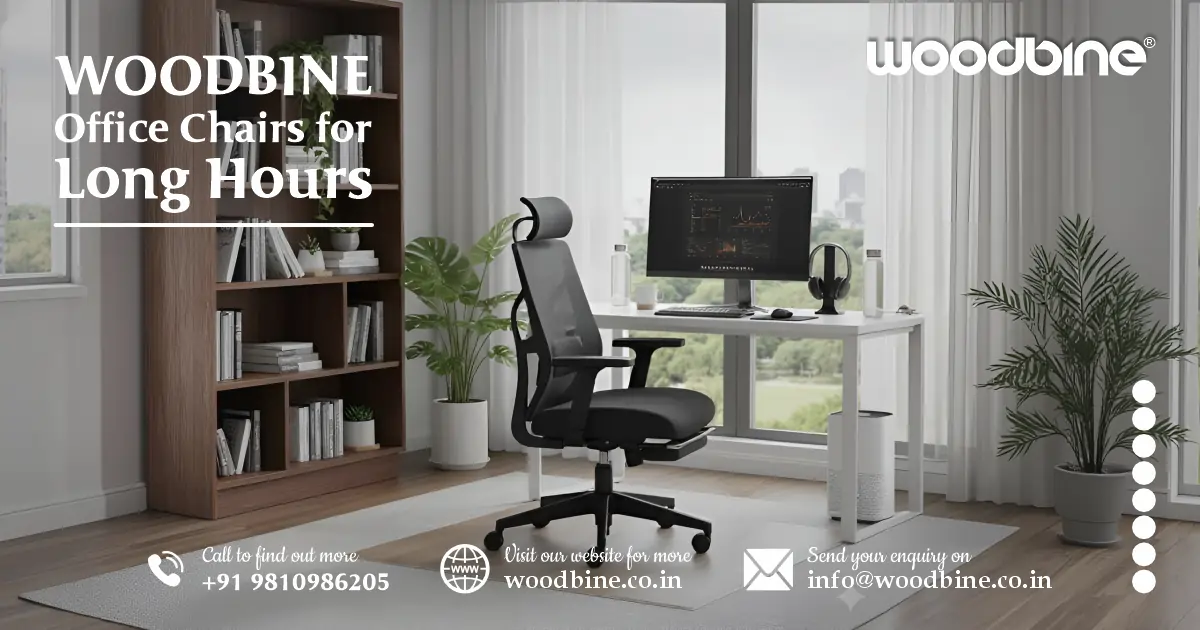
Choosing the best office chair for long hours isn’t just about comfort—it’s about protecting your spine, improving productivity, and making long working hours far more sustainable. The right ergonomic design, proper lumbar support, breathable materials, and adjustability can dramatically reduce back pain and fatigue during an 8+ hour workday. This guide from Woodbine explains exactly what to look for and how to set up your chair for maximum comfort and long-term health.
Introduction: Why the Right Chair Could Save Your Back (and Your Productivity)
If you spend most of your day seated, you already know how much a chair can affect your mood, focus, and comfort. After 10 years of helping individuals and companies pick the right office chair, I’ve learned one thing: a poor chair quietly drains your energy. It doesn’t scream for attention—it just shows up as back pain, stiffness, and exhaustion by the end of the day.
This guide promises to help you finally understand what makes a chair truly suitable for long hours, whether you’re working from home, managing a team, or setting up a new office space. And yes—I’ll share practical insights many people overlook.
By the end, you’ll know exactly which features matter, how to set up your chair properly, and which types of chairs fit different needs.
Let’s get started.
Read more: Buy Stylish Computer Table Online – Affordable & Durable
Why Choosing the Right Chair Matters for Long Hours
The hidden cost of long sitting: posture, fatigue, health risks
Long sitting doesn’t feel harmful at first because the issues creep in slowly. Chairs with poor design cause:
- Chronic back pain
- Neck strain
- Poor circulation
- Fatigue that builds hour after hour
Many users I’ve helped were experiencing these symptoms for months before realizing the chair was the root cause. Sitting for prolonged hours without proper back, neck, and thigh support increases pressure on spinal discs—something organizations like the Virginia Spine Institute frequently warn against.
Productivity & well-being: how an ergonomic chair boosts focus and mood
A good ergonomic chair for long sitting does more than support your body—it supports your concentration. Once people switch from a basic chair to an adjustable ergonomic one, the most common feedback is: “I didn’t know how much energy I was losing every day.”
Better posture = better blood flow = better focus.
Long-term investment: ergonomics vs frequent chair replacements
Quality ergonomic chairs last longer, offer better warranty support, and avoid the “replace every 1–2 years” cycle. Over time, a sturdy, ergonomic build becomes far more affordable than cycling through low-quality chairs.
Read more: Ergonomic Computer Desk Ideas: Comfort That Boosts Productivity
Key Features to Look for When Sitting 8+ Hours
Lumbar Support & Lower-Back Alignment
Why lumbar support is non-negotiable
Lower-back support is the #1 feature that determines whether a chair is fit for 8+ hour workdays. Without it, your spine collapses inward, leading to back pain.
Adjustable lumbar (height, depth) vs fixed support — which works better
Based on years of user feedback, adjustable lumbar support wins every time. It allows you to fine-tune the pressure and position according to your body curve.
How to align lumbar support properly
Here’s a simple rule I always teach users:
Place the lumbar pad slightly above your belt line.
This supports the natural S-curve of your spine.
Seat Dimensions and Adjustability
Seat height: feet flat, thighs parallel to floor
Your feet should rest flat on the ground—dangling feet cause leg fatigue.
Seat depth: room behind the knees, but full back support
You should be able to slide two to three fingers between the seat edge and your knees. Too deep and you’ll lean forward; too shallow and your thighs lack support.
Waterfall seat edge: reducing pressure
A waterfall front edge prevents thigh compression and improves circulation—very useful during long shifts.
Read more: Woodbine Institutional Furniture – Durable, Smart Designs
Backrest Type & Recline Mechanism
High-back vs mid-back
High-back chairs better suit long-duration sitting, managerial tasks, or continuous computer work.
Mid-back chairs are great for mobility-heavy tasks.
Tilt/recline reduces spinal pressure
Even a slight recline (100–110°) relieves pressure on your spine. Chairs that allow smooth rocking help avoid stiffness.
Locking positions vs dynamic movement
A chair should let you switch between upright sitting and a relaxed recline.
Materials: Mesh, Fabric, Foam
Breathability: why mesh works well in long hours
Mesh keeps your back cool—especially important in Indian climates where heat builds up quickly in traditional foam chairs.
Cushioning: foam density and comfort
Look for medium- to high-density foam for lasting comfort. Cheap foam sinks within months.
Durability
Choose materials that don’t sag or fray with constant use—especially if using the chair all day for work-from-home.
Armrests & Headrests
2D / 3D / 4D adjustable armrests
Wrist fatigue is common in long hours. Multi-directional armrests help maintain neutral wrist and elbow posture.
Headrest: when it helps
A headrest helps during breaks, calls, or reclined work styles. Adjust it so it supports the base of your head—not your neck.
Read more: Woodbine Workstation Table – Design for Office Workspaces
Mobility & Base
Swivel and casters
A swivel base prevents awkward twisting. Good casters glide smoothly without scraping floors.
Tilt tension
Set tilt tension so you can recline without falling backward—balanced for your body weight.
Special Considerations for Long Hours Work
Preventing Back Pain During Extended Use
Shift posture regularly
I always teach users: “The best posture is the next posture.”
Small micro-breaks can make huge improvements.
Ergonomics beyond the chair
Even the best chair can’t fix a poor workstation. Keep your monitor at eye level and keyboard within easy reach.
Stretching & mobility
A few simple back and neck stretches during the day reduce pressure dramatically.
High-Back & Executive Chairs for Long Duration
Executive or ceo chair designs often come with fuller cushioning and headrests—ideal for long calls or managerial roles. Just ensure they offer ergonomic adjustments, not just a plush look.
Read more: Woodbine Conference Tables: Elegant Office Centerpiece
Affordable Ergonomic Options for WFH and Budget Constraints
Budget doesn’t mean you must settle for poor support.
When selecting an affordable ergonomic chair for work-from-home long hours, prioritize:
- Lumbar support
- Seat cushioning
- Mesh back for breathability
- Adjustable armrests
Even with a limited budget, choose function over aesthetics first.
Different Chair Types for Varied Use Cases
Mesh Office Chairs
Ideal for airflow—perfect for warm Indian weather. These are the top pick for a mesh office chair for long hours India.
High-Back / Executive / CEO Chairs
Great for leadership roles, long meetings, and users who prefer plush cushioning.
Task / Study Chairs
A good study chair should still offer basic lumbar support and proper seat height adjustment.
Visitor Chairs & Lounge Chairs
Useful for receptions—comfort + style without deep ergonomic features.
Café Chairs & Office Cubicle Furniture
Simple, functional seating is used in shared spaces and office cubicle partitions.
Luxury Ergonomic Chairs
Premium materials, advanced adjustments, and elegant chair design office aesthetics.
Read more: What Are the Best Ergonomic Office Chairs for Back Pain?
How to Set Up Your Chair for Maximum Ergonomic Benefit
Seat Height & Depth
- Feet flat, knees at ~90°
- Maintain a 2–3 finger gap behind the knees
Lumbar & Backrest
- Align lumbar support with lower-back curve
- Use mild recline periodically to reduce pressure
Armrests & Headrest
- Elbows close to 90°
- The headrest should support the head without pushing it forward
Movement Habits
- Take micro-breaks every 30–60 minutes
- Use the recline feature to decompress the spine
Workspace Ergonomics
- Monitor at eye level
- The keyboard is close enough to prevent reaching
- Keep feet grounded—use a footrest if needed
Common Mistakes to Avoid When Choosing for Long Hours
- Picking chairs based purely on looks
- Choosing models that don’t match your height or leg length
- Ignoring after-sales service and warranty
- Staying in the same posture all day
- Choosing poor-quality foam or non-adjustable backrests
Even the best office chair for 8+ hours can’t fix static sitting habits. Movement matters.
Read more: Stylish Wood Desk Setup | Elevate Your Workday & Space
Conclusion – Woodbine’s Final Word
Choosing the best office chair for long hours isn’t a luxury purchase—it’s an investment in your long-term health and work performance.
Prioritize:
- Lumbar support
- Adjustability
- Breathable materials
- Proper workstation setup
Whether you’re choosing a mesh chair, lounge chair, executive chair, or a luxury chair, your comfort and well-being should guide your decision—not just aesthetics.
If you’re ready to upgrade your sitting experience, explore ergonomic options that match your needs and make your long workdays easier on your body.
Your spine will thank you tomorrow.
Frequently Asked Questions
1. What is the best type of office chair for long hours of sitting?
The best chair for long hours is one that offers adjustable lumbar support, breathable mesh, high-density cushioning, height + depth adjustability, and a smooth recline mechanism. Mesh-backed ergonomic chairs are usually the most comfortable for long workdays because they keep your back cool and maintain natural spinal alignment. If you prefer a plush look, a high-back executive chair also works—just make sure it has proper ergonomic adjustments.
2. How much lumbar support do I actually need for 8+ hour workdays?
You should look for adjustable lumbar support, not a fixed one. Everyone’s spine curvature is different, so the ability to raise, lower, or adjust the depth of the lumbar pad is essential. A good rule of thumb: place the lumbar support slightly above your belt line. When positioned right, you’ll feel gentle support—not pressure—on your lower back.
3. Why do my legs or lower back hurt even when the chair looks “comfortable”?
Pain usually comes from incorrect seat depth, poor posture, or insufficient back support—not the cushion softness. If your seat is too deep, your knees get compressed. If your lumbar region isn’t supported, your spine collapses into a slouched posture. Ensuring proper seat height, 2–3 finger gap behind the knees, and neutral back alignment solves most leg and lower-back discomfort.
4. Are mesh chairs better than cushioned chairs for long hours?
For long-duration sitting, mesh chairs are usually better because they allow airflow, reduce sweating, and maintain support over time. High-quality mesh also adapts to your back shape. Cushioned chairs are comfortable but can trap heat and lose firmness after months of daily use. If you work in a warm climate or spend 8–10 hours at a desk, mesh is typically the better choice.
5. What features should I prioritize if I'm buying an ergonomic chair on a budget?
Focus on features that impact your body the most:
- Lumbar support (adjustable preferred)
- Mesh back for cooling
- Seat height adjustment
- Armrest adjustability (2D is fine)
- Comfortable high-density foam seat
You don’t need 4D armrests or premium upholstery to stay comfortable. A well-designed, affordable ergonomic chair with the features above offers excellent long-hour support without overspending.
