

What Are the Best Ergonomic Office Chairs for Back Pain?

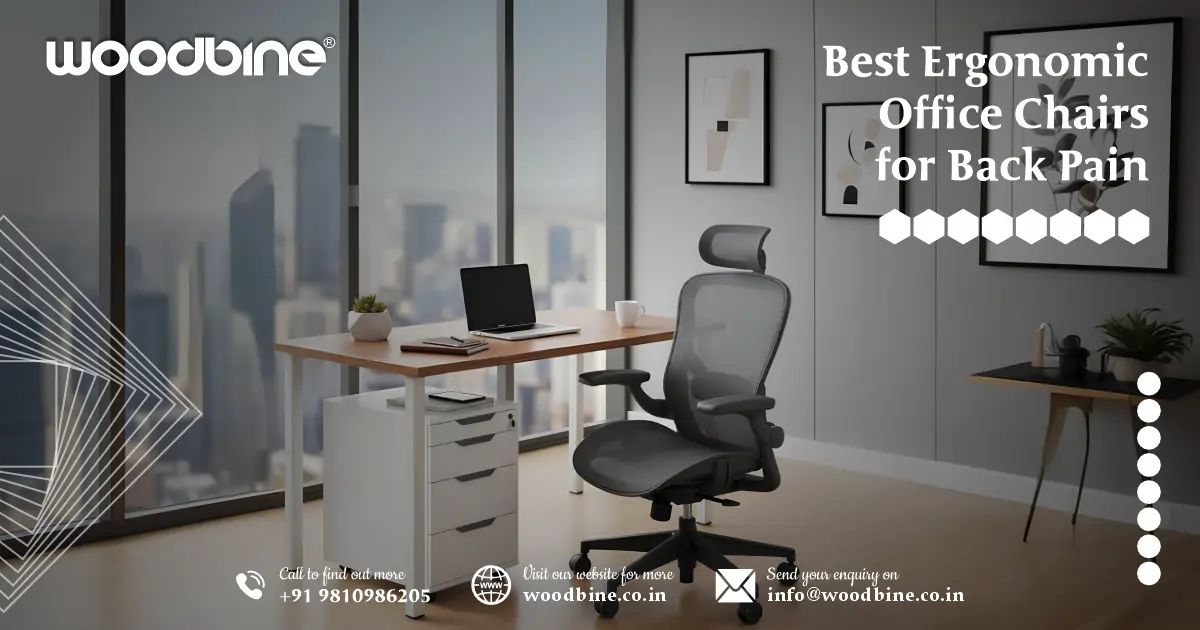
“If you’re spending ten or more hours at your desk and your lower back nags at you by day’s end, it’s time to upgrade to a chair that truly supports your spine. A quality ergonomic office chair offers adjustable lumbar support, a high-back with headrest, and a tilt mechanism so your body doesn’t slump. Choose one that fits your body height, desk height, and budget — and your back will thank you.”
As someone who’s spent a decade designing workspaces and helping people pick the right seating solutions, I’ve seen my fair share of back pain complaints. The culprit? Sitting in a basic office chair that treats your spine like an afterthought. The good news: investing in the right seat changes things. In this article we’ll walk through why a proper chair matters, what features you must look for, how to select depending on your use-case, a checklist before you buy, and how to shop in the Indian market — plus some model ideas to get you started.
Why an Ergonomic Office Chair Matters for Back Health
How sitting long hours affects your spine
When you spend hours hunched over a screen without proper support, you’re asking your spine to carry the load for far longer than it’s meant to. Your lumbar region (lower back) should maintain its natural “S” curve, but a flat or overly‐tilted chair throws this off. You’ll find yourself slumping, shifting weight onto one side, or leaning forward — all of which strain discs and muscles. Over weeks and months this fatigue builds up, leading to that ache you feel by evening.
Key ergonomic features that relieve back pain
From my years of advising clients, certain features must be non-negotiable for true back support:
- Adjustable lumbar support: If the chair has a fixed little cushion, that’s a start — but better is a support you can raise/lower or deepen to match your lower back curve.
- Seat height and depth adjustment: Feet should rest flat, thighs roughly parallel to the floor, and you should have clear space behind your knees (about 2-3 fingers) so your back may sit fully.
- Tilt & recline mechanism: Sitting completely upright for long doesn’t always help. A bit of recline (say 100-120°) shifts load off your spine. I always tell clients: ‘the best chair is one you move in, not just sit rigidly.’
- Breathable mesh or high-quality upholstery: Particularly in warmer climates (like many parts of India) a mesh back helps your back stay cool and dry.
- Armrests, headrest & full-back support: If you’re also getting neck or upper back strain, the high back plus proper headrest makes a real difference.
Read more: Woodbine Study table and chair for students
What to Look For: Features That Make a Chair Back-Pain Friendly
Lumbar support & lower-back alignment
Your lumbar region is where the “curve” matters. A good chair offers lumbar support that you can adjust upward or inward. Fixed lumbar often doesn’t hit the right depth or height for your body shape. As one ergonomics article pointed out: “adjustability is key.”
Seat height, width & depth
- Feet flat on the floor, so thighs are about parallel.
- Seat depth such that you can sit fully back — then you have about 2-3 fingers behind your knees.
- Seat width should accommodate your build without being too narrow (which causes sideways strain) or too wide (which encourages leaning).
High back mesh or full-back and headrest
A high back means support goes above your shoulders, and if you add a headrest then upper back/neck strain gets addressed too. Mesh backs breathe; full upholstery might feel plush but can overheat.
Adjustable armrests and tilt/recline mechanism
Armrests support your arms and reduce shoulder/upper-back fatigue. Tilt/recline allows you to shift position — the spine doesn’t like being locked in one angle for too long.
Materials, build-quality & durability
In India especially, summer heat, humidity and long hours are real. Mesh backs help ventilation; strong bases and good warranty are vital. Local service and spare-parts matter after a year or two.
India-specific considerations
- Adjust for height: Many chairs are designed for average global heights; if you’re significantly taller or shorter, check range.
- Climate: Mesh is valuable for Indian settings.
- Budget tiers: You’ll see chairs under ~₹10,000 with decent adjustability — but know what you’re giving up.
- Service/warranty: Availability of after-sales and spare parts matters when investing.
Read more: Woodbine PC Table – Stylish, Ergonomic Desk for Work
Choosing the Right Chair for Your Use-Case
Home office vs commercial office vs executive use
- Home office: Often smaller spaces, fewer users. Prioritise comfort + cost-efficiency.
- Commercial office: Multi-user, shifts, durability matter.
- Executive use: Premium materials, high-back, headrest, long hours; aesthetics combine with ergonomics.
Best ergonomic chair for lower back pain
If your primary issue is lower-back pain, zero in on chairs that offer deep lumbar adjustment, seat depth slider, tilt lock mechanism — you want to relieve pressure off the lumbar discs by proper curve support.
Mesh back high-back chairs with lumbar support
Mesh means ventilation; high-back means full spine support. Ideal if you sit long, tend to heat up, and want full-back coverage.
Adjustable lumbar chairs for backache
Look for lumbar support that you can raise/lower and adjust inward/outward. I had one client switch from a fixed lumbar chair to one with 4-way lumbar adjustment — his backache dropped significantly within a week.
Budget options in India (under ₹10,000)
You’ll find neighbourhood models with essential lumbar support, basic tilt, but fewer refinements (e.g., fewer armrest adjustments, maybe mid-back instead of high, simpler materials). For instance, a review noted chairs under ₹10,000 now offer features previously reserved for premium tiers.
Executive ergonomic chairs for long hours
These chairs cost more, but if you’re sitting 8-12 hours daily you’ll feel the difference: full high-back, headrest, 4-or-5D armrests, premium tilt/recline, stronger base, better materials.
Posture-friendly chairs for back & neck pain
If you have both back and neck pain, prioritise high-back with headrest plus upright seat height and adjustable tilt lock. Look for “posture friendly office chair for back & neck pain”.
Ergonomic desk chair for home office back support
Even if you’re working from home, treat your chair like your major investment. Choose an ergonomic desk chair India model that gives you lumbar support and adjustability — not just a comfy kitchen chair.
Adjustable armrest and tilt/recline models for back pain
Armrests that adjust in height/width/depth allow you to borrow support when typing or using mouse. Tilt/recline models help de-compress the spine during breaks. An office chair tilt & recline for back pain feature is one of the smartest bets.
Read more: Woodbine Café Chairs – Stylish Wooden Seating
Top Features Checklist Before Buying
Here’s your go-to checklist:
- Adjustable lumbar support (height/depth)
- Seat height & depth adjustment
- Backrest height or high-back support
- Tilt/recline mechanism + lockable positions
- Adjustable armrests (height, width, depth)
- Headrest (especially if you also have neck/upper-back issues)
- Breathable fabric or mesh design
- Sturdy base + casters (floor type: tile, carpet, etc)
- Warranty and local service (especially important in India)
- Budget vs premium trade-offs (what you might surrender vs what you shouldn’t)
Buying Guide — What Fits in Your Budget & Market (India Focus)
Budget tier (under ~₹10,000)
Expect good basics: decent lumbar support, maybe fixed headrest, simpler armrests. You might sacrifice 4D armrests or seat-slider.
Mid-range tier
Here you’ll see mesh high-back, better tilt/recline, seat sliders, 3- or 4-way lumbar, adjustable armrests. Ideal for serious back support without premium pricing.
Premium / executive tier
Top of the line: full high-back, headrest, 4D (or 5D) armrests, heavy frames, advanced recline mechanism, long warranties. For long-hours executives or frequent use.
Where to buy online (India) & things to check
- Use trusted stores and check delivery/installation.
- Verify return policy and warranty.
- Read mesh back ergonomic office chair reviews from Indian users — climate and body types differ.
- Measure your workspace: desk height, chair height, your body height, leg length.
Fit your body & workspace
- Measure your sitting height, desk height.
- Seat width/depth must fit your build.
- Can your feet touch the floor? If not, consider foot-rest.
- Your monitor height matters too: if you’re leaning forward, even the best chair won’t fix it.
Read more: Woodbine Visitor Chairs – Stylish Guest Seating
Top Model Features to Consider (without naming specific brands)
Here are some model “types” worth your attention:
- High back mesh office chair with lumbar support and headrest: Combines ventilation + full-spine support.
- Good for long hours + higher body types.
- Good for long hours + higher body types.
- Adjustable lumbar office chair for backache with 4D armrests and tilt/recline: For serious back pain relief and custom fit.
- Mesh back ergonomic office chair reviews favouring breathability + long-hours comfort: Especially relevant for Indian settings.
- Best budget ergonomic office chair under ₹10,000 for Indian market: Good value, decent support.
- Executive ergonomic office chair for long hours (headrest, high build quality): For power users, execs, or frequent sitters.
Common Mistakes to Avoid
- Buying a chair based purely on looks rather than how it adjusts/supports – big mistake.
- Assuming any chair labelled “ergonomic office chair” automatically solves your back pain – it doesn’t until you optimise it for you.
- Ignoring your body dimensions (height, leg length, desk height) – you may buy a top chair but it still misfits.
- Not checking warranty or spare-parts/service in India – a good brand might still have weak after-sales.
- Skipping movement. Even the best chair won’t help if you sit motionless 8+ hours. You must stand/stretch regularly.
Read more: Woodbine Conference Tables: Elegant Office Centerpiece
How to Set Up Your New Chair for Maximum Benefit
Here’s a simple step-by-step to get your chair working for you:
- Adjust seat height so your feet rest flat on the floor and your knees are roughly at a 90° angle.
- Adjust seat depth so you sit fully back but have about 2-3 fingers behind your knees — this ensures proper support.
- Set your lumbar support so it fits your lower back curve. If you feel a gap between you and the backrest, raise or deepen the lumbar pad until you feel supported.
- Adjust armrests so your forearms rest comfortably while typing — shoulders relaxed, elbows roughly 90°.
- If you have a headrest, adjust it so your head rests lightly and you’re not leaning forward.
- Tilt/recline settings: Try reclining slightly (e.g., 100-110°) for a few minutes now and then — this shifts weight off lumbar discs. Use the lock mechanism if you prefer.
- Make movement part of your day: stand up for 1-2 minutes every 30-60 minutes, stretch, walk a little— even best chair can’t replace movement.
- Monitor your overall posture: screen at eye height, keyboard/mouse within reach, no leaning forward or slumping.
Summary & Final Recommendations
If your back is whispering (or shouting) “I’m tired of this chair,” then investing in the right office chair for back pain is truly worth it. Recap of what we covered:
- Why a proper ergonomic chair matters.
- What features deliver the most value for back health.
- How to choose based on your use-case (home, office, executive).
- The features checklist and Indian market buying guide.
- Common mistakes and how to set up your chair correctly.
Now: pick the chair that fits your body, budget and workspace. Whether you’re looking for the best ergonomic chair for lower back pain or a sensible budget option like a best budget ergonomic office chair under ₹10000, make sure you’re not sacrificing lumbar support, tilt mechanism, and adjustability.
Call to action: Stop tolerating back pain. Browse the models above (or others that match the criteria), compare their specs, read local Indian user reviews, and invest in a chair that treats your spine like it matters — because it does. Your back will perform better, your energy will stay higher, and you’ll finish the day without that nagging ache.Read more: Woodbine Workstation Table – Design for Office Workspaces
Final Word
Choosing the right chair is a long-term investment in your health. Over ten years of working with clients, I’ve seen the difference: a right-fitting ergonomic chair home office back support or an ergonomic office chair with headrest and lumbar support becomes one of the most silently impactful items in a workspace. Make sure you adjust it, move in it, and respect your body’s need for support and change. Your next workday could feel significantly better.
Frequently Asked Questions
1. Which type of ergonomic office chair is best for lower back pain?
The best ergonomic chair for lower back pain is one with adjustable lumbar support, a high-back mesh design, and a tilt-recline mechanism. These features maintain the spine’s natural curve and reduce pressure on your lower back during long sitting hours. Look for models with height and depth-adjustable lumbar support, so the chair aligns with your body shape.
2. Are mesh office chairs good for back pain?
Yes, mesh office chairs are great for back pain — especially in India’s warm climate. Their breathable backs keep you cool while maintaining firm, flexible support for your spine. High-quality mesh chairs with ergonomic lumbar curves provide continuous support and prevent slouching, which is often a major cause of backache.
3: What should I consider before buying a student chair with a writing pad?
When choosing a student chair with writing pad, check the size of the pad, weight capacity, and stability of the chair. This type of writing chair is ideal for smaller study spaces, coaching centers, or classroom setups. It’s best to pick models with foldable or removable pads for flexibility. Also, compare the classroom chair price to ensure it fits your budget while maintaining durability.
4. What is the best ergonomic office chair under ₹10,000 in India?
If you’re on a budget, consider mid-range ergonomic chairs such as those from Green Soul, Wakefit, or Featherlite. They offer good lumbar support, mesh backs, and tilt mechanisms — essential for relieving back pain — without crossing the ₹10,000 mark. Always check for adjustable lumbar and seat height options before purchasing.
5. How can I adjust my office chair to prevent back and neck pain?
Follow this quick setup checklist:
- Adjust seat height so your feet rest flat and knees are at a 90° angle.
- Align lumbar support to your lower back curve — you should feel firm but comfortable contact.
- Tilt the backrest slightly (100–110°) for relaxation without slouching.
- Keep armrests at a height where your elbows form a right angle.
- If your chair has a headrest, set it so your head rests naturally without pushing forward.
These small adjustments can make a huge difference in reducing both back and neck pain during long work sessions.
